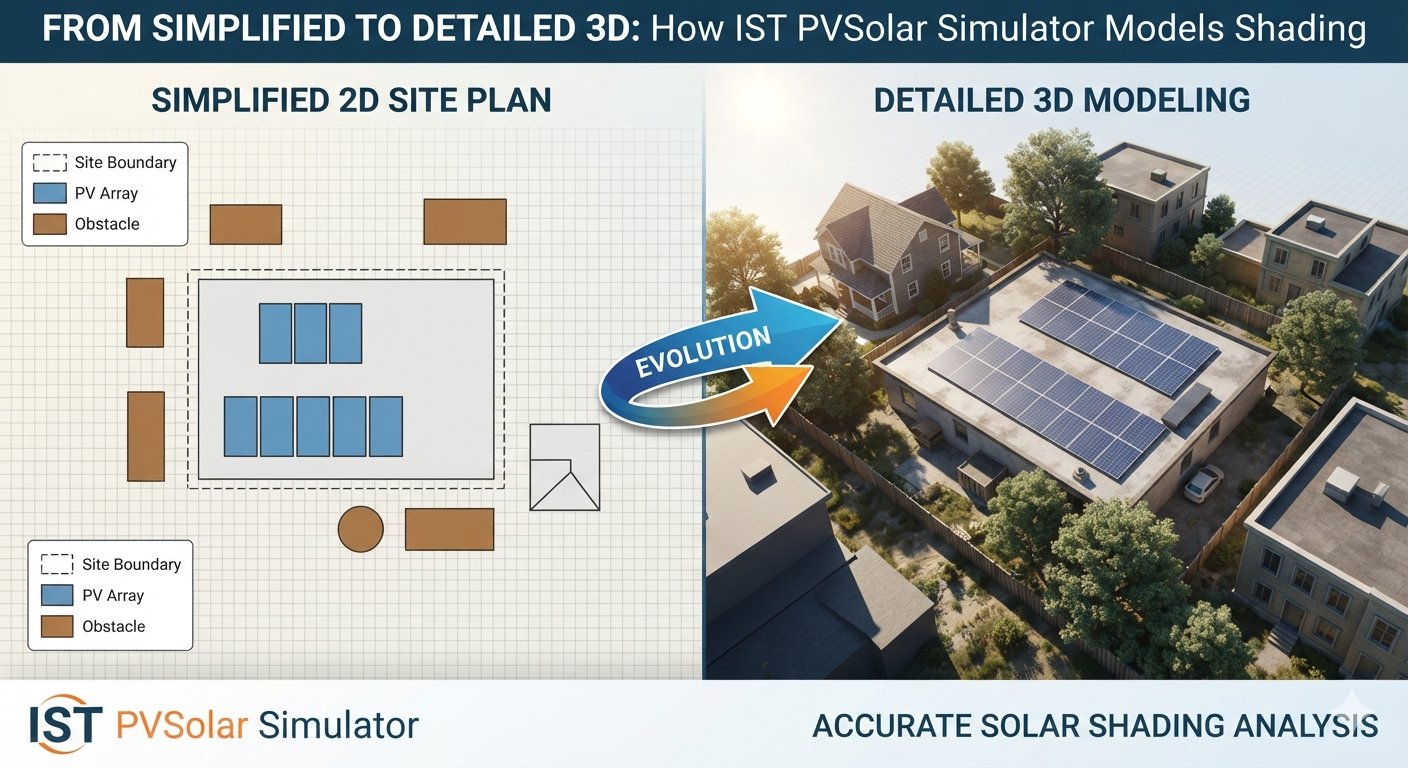
How IST PVSolar Simulator Models Shading the Way Your Site Actually Looks
Shading analysis is where most solar simulation tools quietly cut corners. A flat horizon-loss percentage might be fine for a back-of-envelope estimate, but it falls apart the moment a real rooftop, a neighboring building, or a hilly site enters the picture. IST PVSolar Simulator takes a different approach: it lets you move fluidly between a simplified 2D model for fast iteration and a fully detailed 3D site model for the accuracy a bankable design demands — without forcing you to switch tools in between.
Start Simple: Row Spacing and Shadow-Free Pitch Design
Early in a project, you don't need a photorealistic render — you need to know one thing fast: how far apart do these rows need to be?
The Unlimited Sheds 2D Model handles exactly that. Input your tilt, module height, and gap, and it calculates the shadow-free pitch instantly, along with the bifacial gain that comes from proper row spacing. This is the layer you live in during concept design and early layout iteration, when you're testing five different tilt/pitch combinations before lunch.
Add Real Terrain: Horizon Shading from Actual Elevation Data
Once a site is shortlisted, flat assumptions about the horizon stop being good enough. IST PVSolar Simulator's Near/Far Horizon Shading Analysis pulls real elevation data — Copernicus DEM GLO-30/90 — and builds an actual horizon profile around your site, point by point, rather than assuming open sky.
Prefer a cross-check? The tool can pull PVGIS's own horizon profile for the same coordinates and reconcile the two, so you're not relying on a single data source for a number that materially affects your energy yield.
Bring In the Neighbors: Real Buildings, Not Guesswork
This is where the model moves from "detailed" to genuinely site-specific. Using OpenStreetMap building data around your location, the simulator identifies nearby structures, estimates their height from tagged data (or a sensible default where tags are missing), and places them as real 3D obstructions relative to your array — footprint, orientation, and distance all included.
That matters because a single mid-rise building 40 meters to the southeast can do more damage to your afternoon yield than a mediocre tilt angle ever will. Modeling it as an actual 3D obstruction — rather than folding it into a generic "urban shading loss" percentage — is the difference between a P50 estimate you can defend to a lender and one you can't.
See It Before You Build It: 3D Site Preview with Module Layout
Once your terrain, buildings, and array layout are in place, the 3D Site Preview renders the whole thing together — your module layout sitting on the actual roof or ground plane, sun path traced across the sky, shadows falling exactly where the geometry says they will.
This isn't decoration. It's a diagnostic tool: a shading conflict that's invisible in a spreadsheet becomes obvious the moment you can see a shadow crossing three rows of modules at 4 PM in December. Catching that here costs you five minutes. Catching it after installation costs a redesign.
Why the Two-Layer Approach Works
The reason this matters isn't "3D is better than 2D" — it's that different stages of a project need different tools:
- Early design needs speed. The 2D shadow-free pitch model lets you explore layout options in seconds.
- Bankable design needs defensibility. The full 3D model — real DEM terrain, real building obstructions, real sun-path geometry — produces a shading loss number you can put in front of an independent engineer without hedging.
Most simulators make you choose one or the other, or force you into a separate specialized 3D shading tool with its own file format and its own learning curve. IST PVSolar Simulator keeps both layers inside the same project, feeding the same simulation engine, so the shading numbers you refine in 3D flow directly into your hourly energy yield, your PR calculation, and ultimately your financial model — no re-entry, no reconciliation between tools.
Conclusion
Good shading analysis isn't about having the fanciest render. It's about having the right level of detail at the right stage of the project — and making sure that detail actually feeds into your numbers instead of living in a separate visualization that nobody cross-checks. From a five-second pitch calculation to a fully modeled 3D site with real terrain and real neighboring buildings, IST PVSolar Simulator keeps that whole spectrum in one place.